All Med Admissions Consulting Programs For Freshmen For Sophomores For Juniors For Seniors & Gap Year Students For Career Changers All Dental Admissions Consulting Programs For Freshmen For Sophomores For Juniors For Seniors & Gap Year Students For Career Changers All PA Admissions Consulting Programs For Freshmen For Sophomores For Juniors For Seniors & Gap Year Students For Career Changers All Vet Admissions Consulting Programs For Freshmen For Sophomores For Juniors For Seniors & Gap Year Students For Career Changers Residency BS/MD MCAT Subject Tutoring DAT USMLE COMLEX GRE CASPer Blog Guides Cheat Sheets Free Tools MD and Dr Interviews PA Program Directory Vet School Directory MCAT Practice Test Our Team Our Process Parents Video Reviews Success Stories Acceptance Letters Case Studies Free Events

AdvantageOS: Your Personalized DAT Prep Planning Tool 

AdvantageOS is an online planning portal that connects students, parents, and tutors throughout Inspira Advantage’s DAT prep programs. Get ready for exclusive DAT resources, high-impact instruction sessions, and an organized plan to help you achieve a 440+ score.
Female young adult smiling, studying at library

AdvantageOS Makes Increasing Your DAT Score Easier

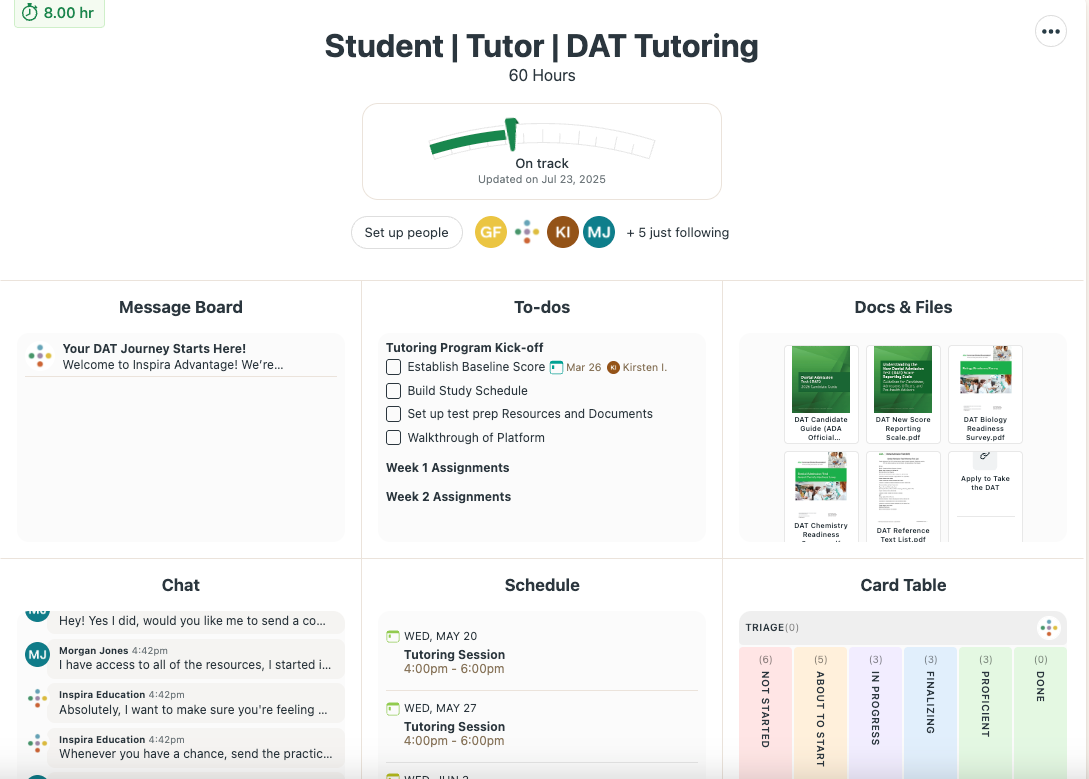
You can log in to your AdvantageOS portal from your laptop, tablet, or phone. The home screen includes an overview of your portal and everything you need for the best DAT prep experience possible, including your:
image of correct icon
AdvantageOS Message Board
image of correct icon
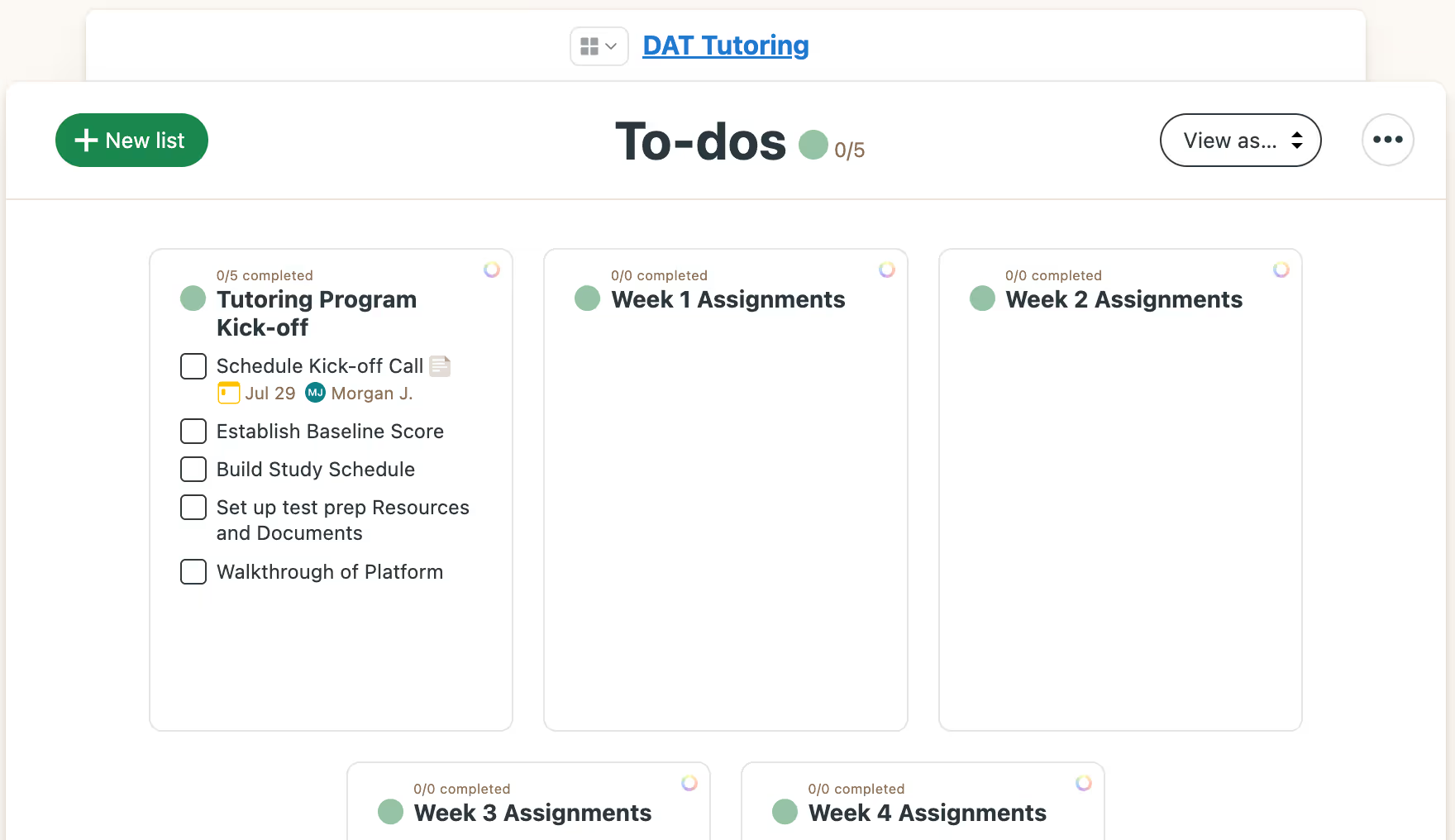
Weekly to-do lists and take-home assignments
image of correct icon
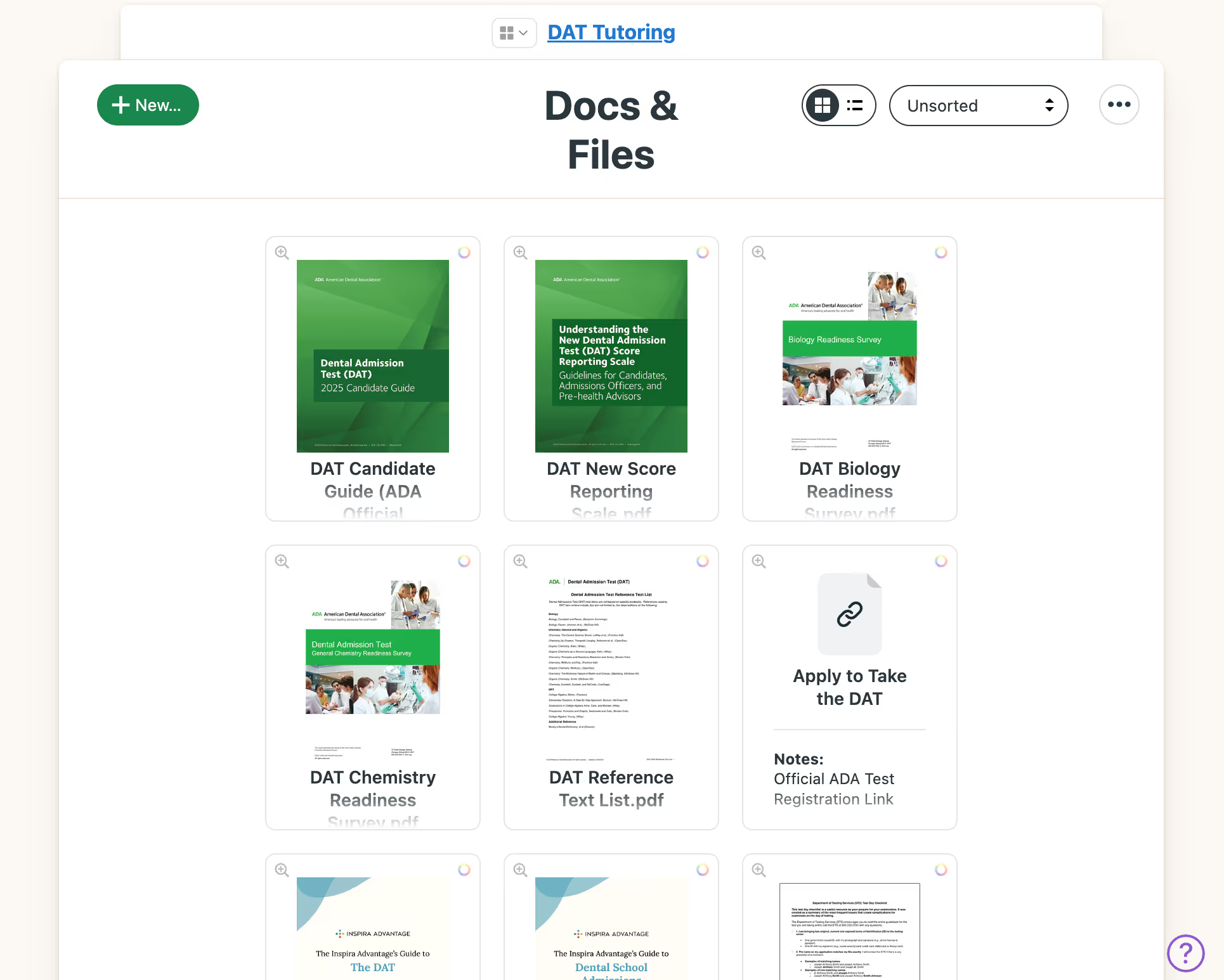
DAT resources, documents, and files
image of correct icon
A messaging system to text your tutor
image of correct icon
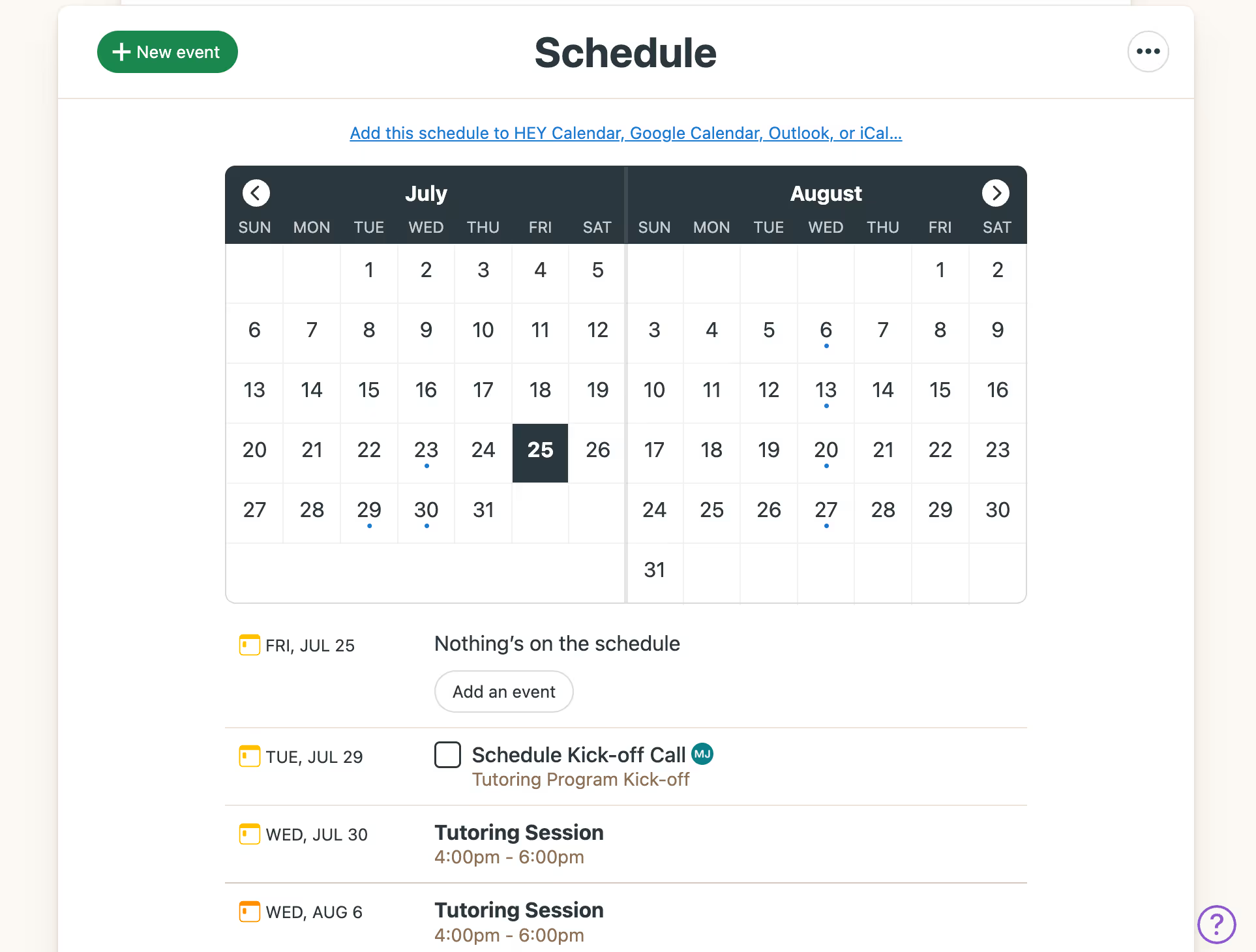
Calendar and upcoming sessions
image of correct icon
Next steps in your prep journey
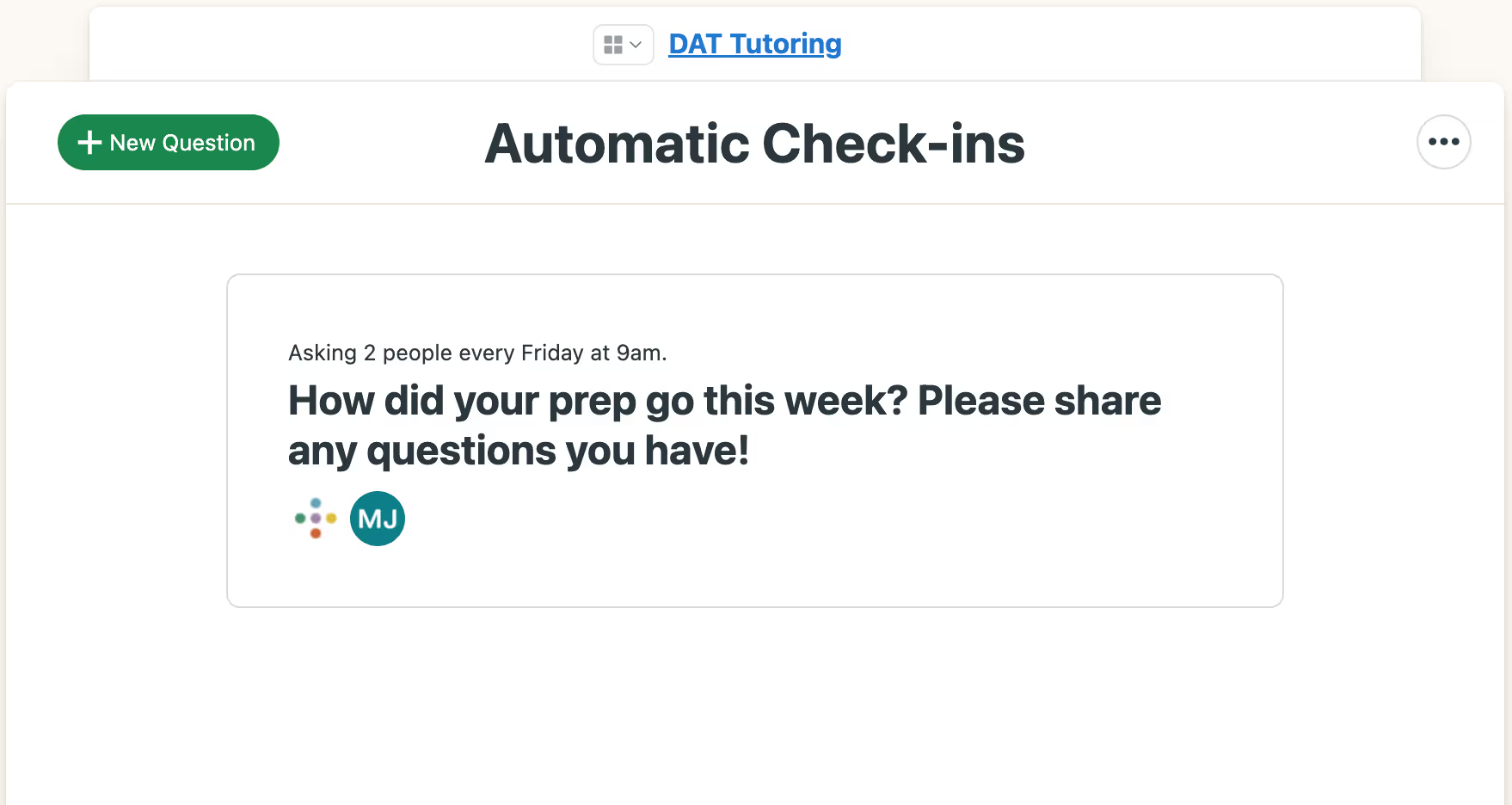
Image of Inspira Advantage's student dashboard home page

Get a Visual Overview of Your Progress Throughout Your Program

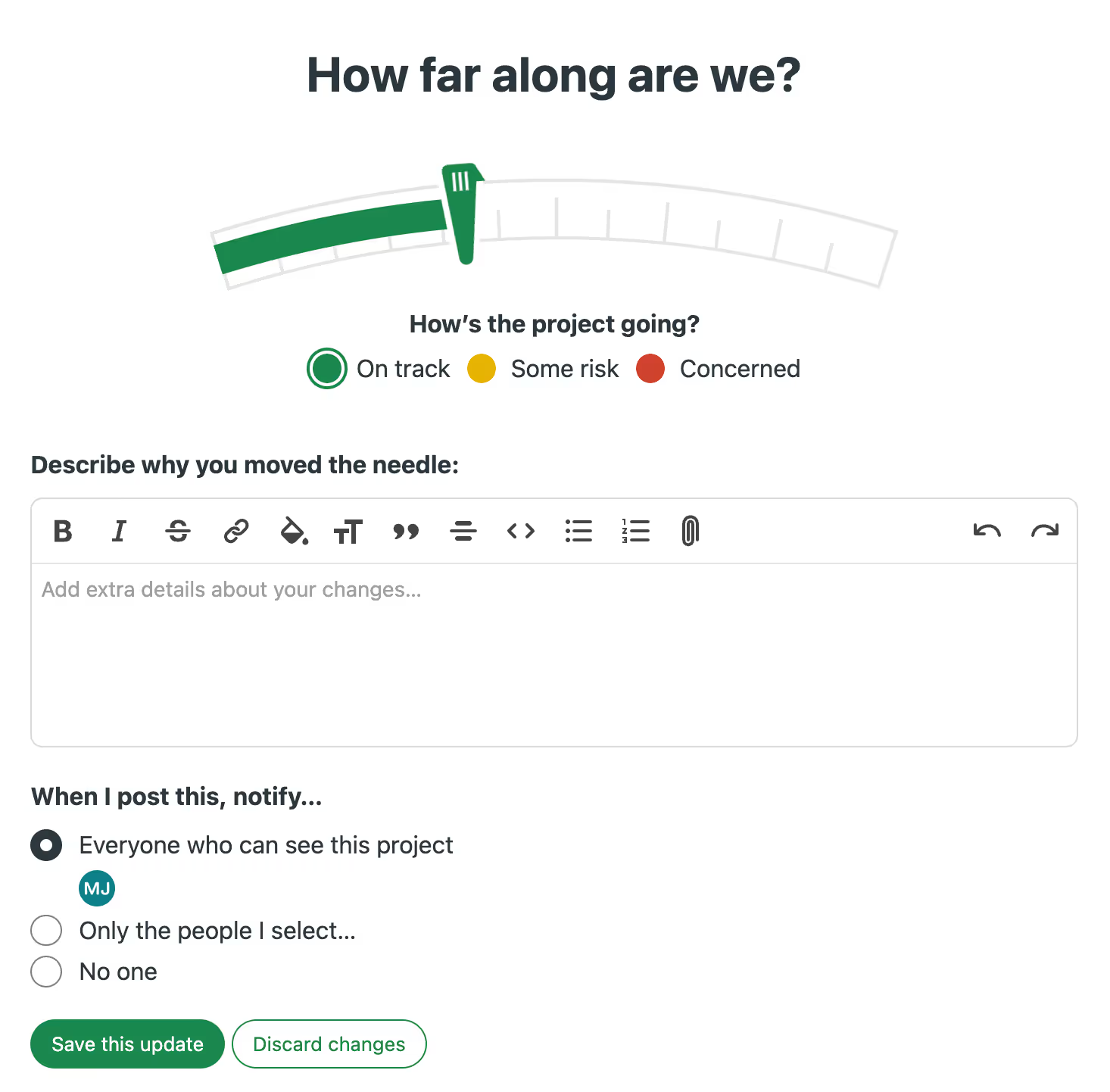
Your DAT tutor will evaluate your progress and how you’re doing as you complete your program. They move the needle at the top of your AdvantageOS home screen to represent your general progress, how many hours you’ve spent working through your prep plan, and whether you’re on pace to achieve your target DAT score.
Image of Inspira Advantage's student dashboard, progress tracker

Your AdvantageOS Message Board

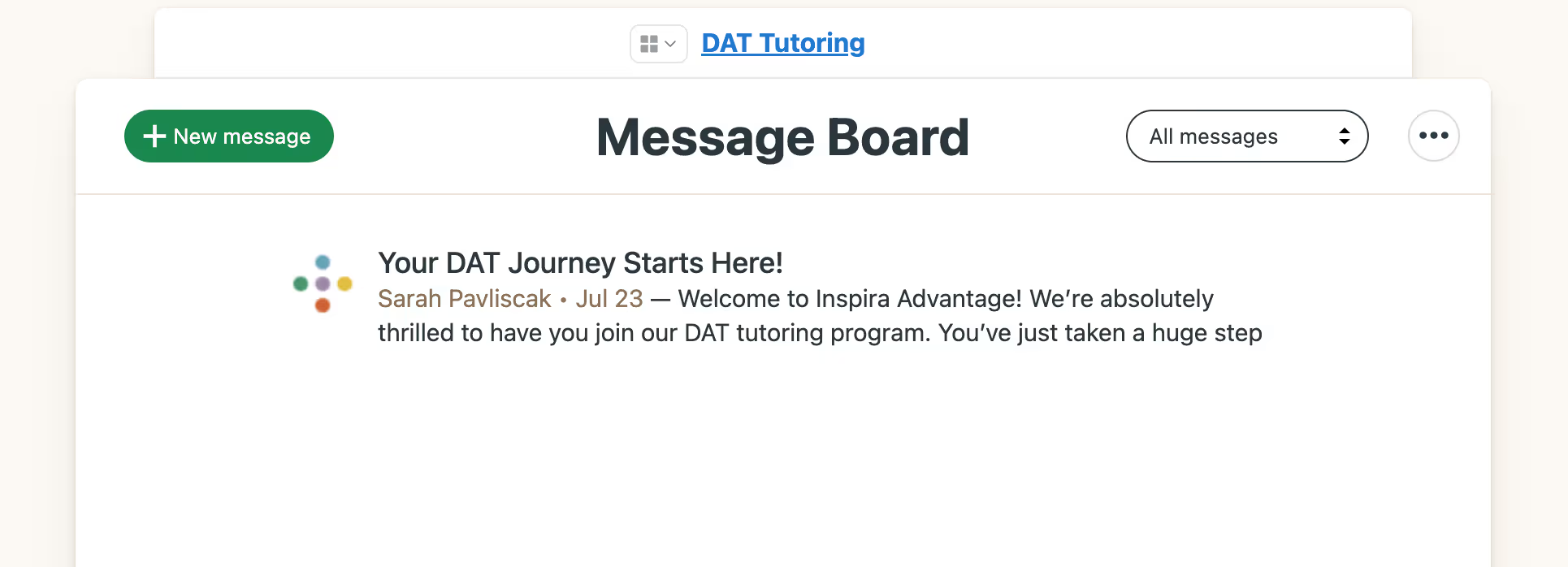
The Inspira Advantage team will post alerts, announcements, and important information on your AdvantageOS Message Board. You will receive notifications surrounding DAT test dates, administration sign-up deadlines, score release dates, and other crucial dates to help you stay informed as you navigate your DAT study plan and program.
Image of Inspira Advantage's student dashboard, bulletin board

Text Your DAT Tutor Anytime

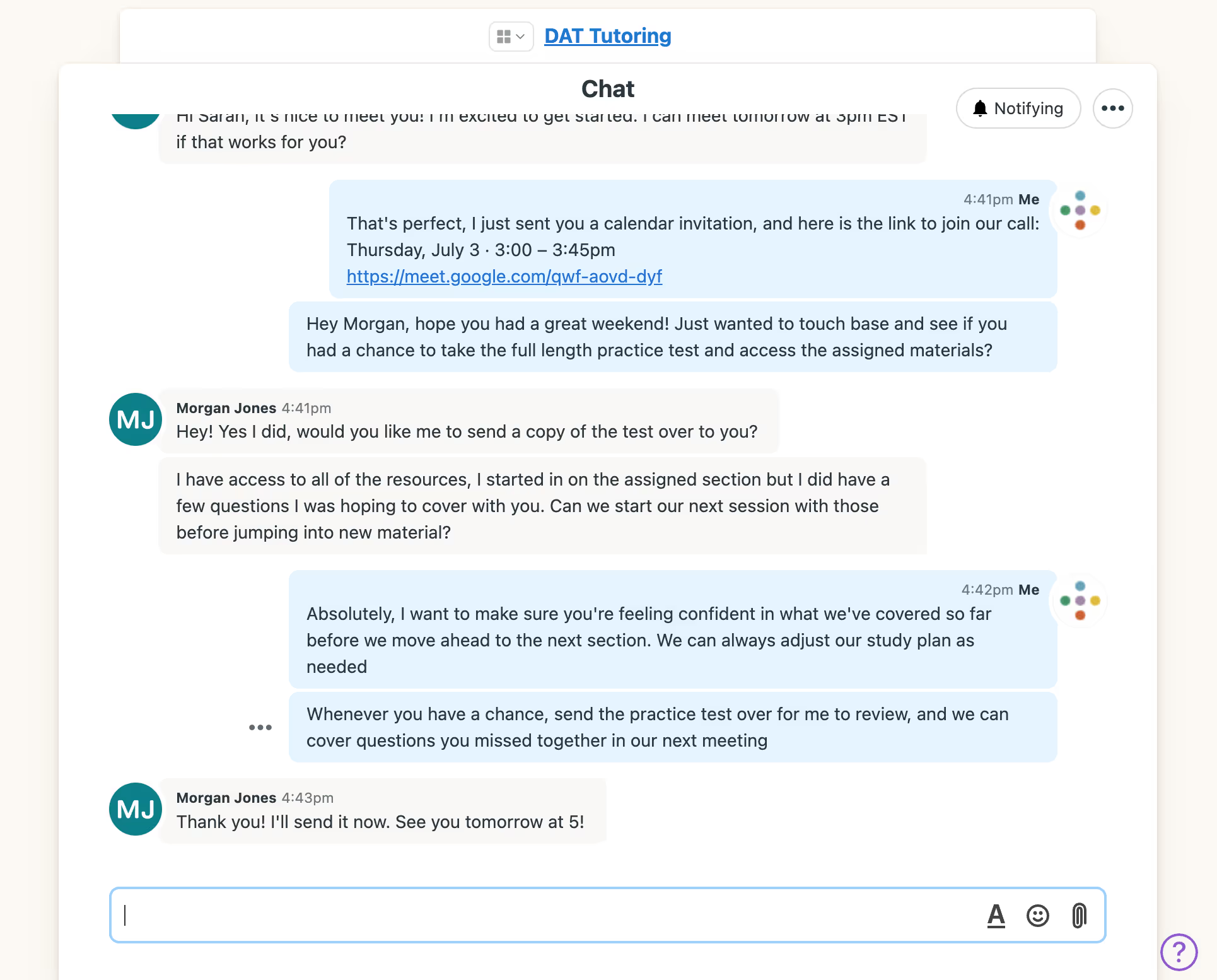
The AdvantageOS messaging system allows students and parents to contact their tutor 24/7. You can ask them questions about weekly assignments, schedule or reschedule your next meeting, or update them on how you’re doing.
Image of Inspira Advantage's student dashboard, chat page

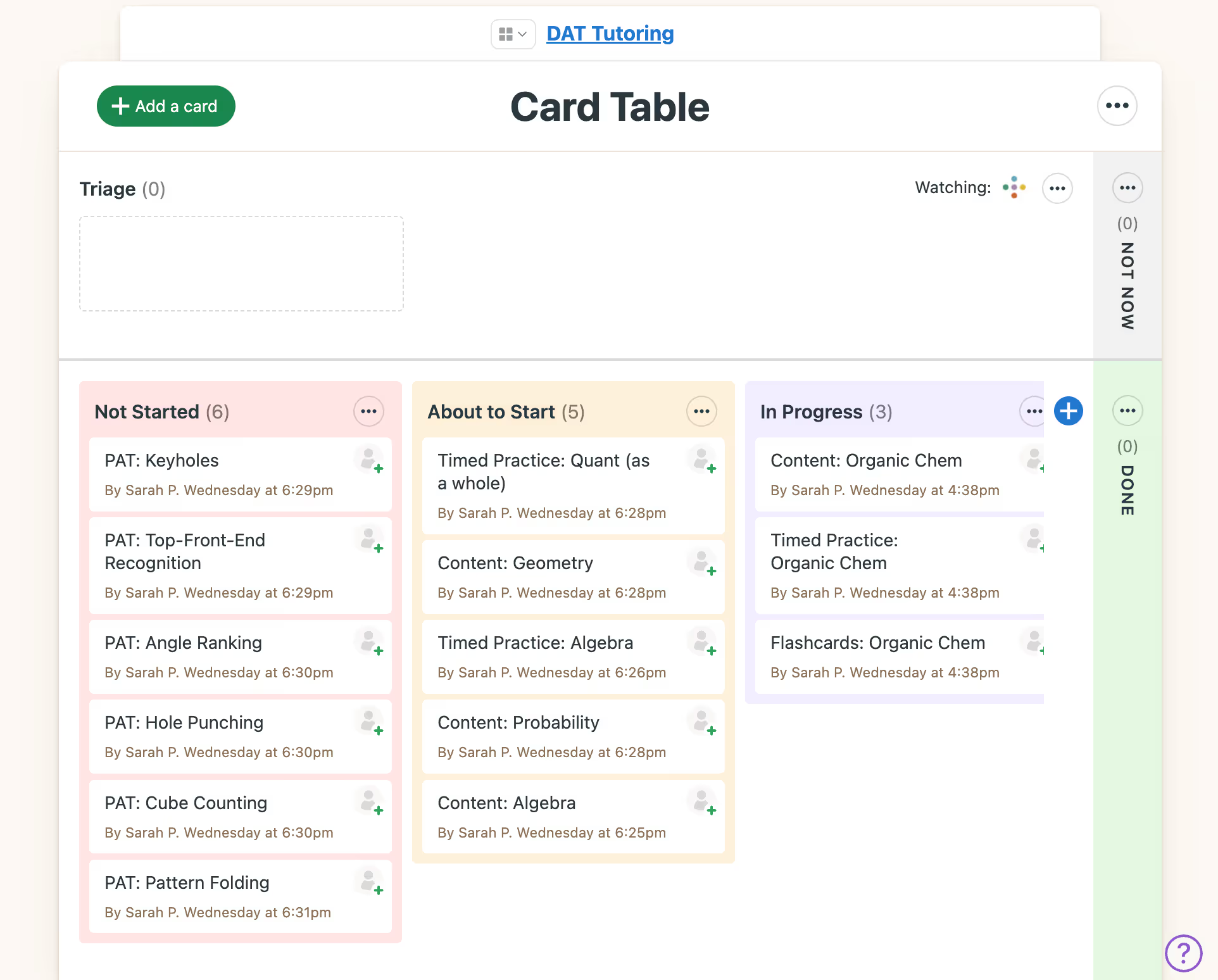
Review Weekly DAT Assignments and Learn Key Concepts

Your tutor will add personalized weekly DAT prep assignments to your schedule. These assignments will include Survey of Natural Sciences, Perceptual Ability, Quantitative Reasoning, and Reading Comprehension questions to help you learn and retain DAT-related knowledge. You can mark items as complete as you work through tailored practice questions, full-length practice tests, and other tasks.
Image of Inspira Advantage's student dashboard, To-Do's list page
Image of Inspira Advantage's student dashboard, task details page

View Upcoming Sessions With Your Personal Calendar

The AdvantageOS scheduling tool shows dates you’ll meet with your tutor, your test date, and other important tasks. Your prep schedule will depend on the length of your program, when you plan to take the DAT, and your initial score. Your tutor will suggest a meeting cadence that works around your availability.
Image of Inspira Advantage's student dashboard, schedule page

Weekly Automatic Check-Ins

The AdvantageOS automatic check-in tab allows you to ask questions as you progress through your prep program and ensure your tutor is always updated on how you’re doing. You can also share feedback about your prep program to help them further customize your experience.
Image of Inspira Advantage's student dashboard, Check-Ins

Access Your Timesheet & See a Detailed Activity Log

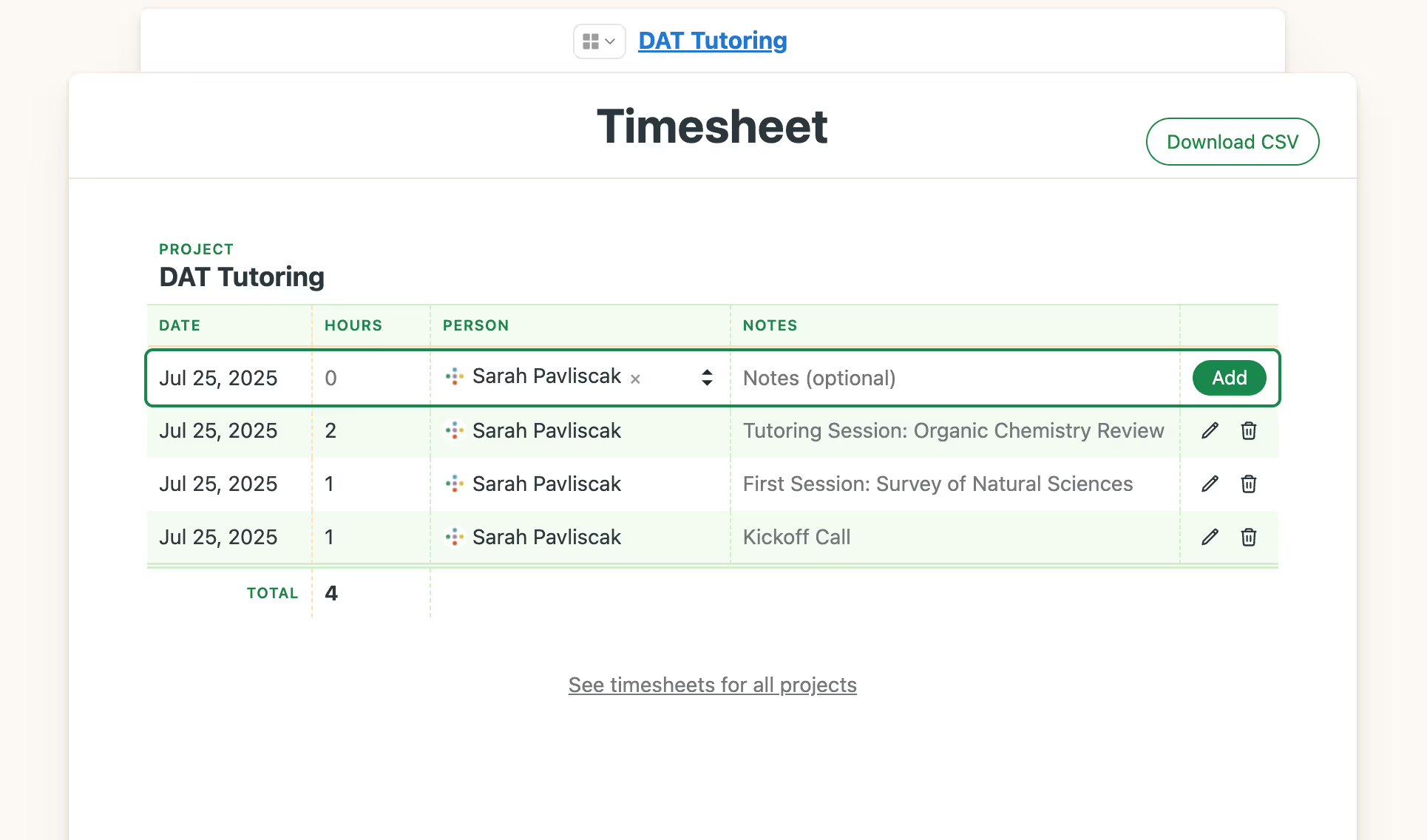
The AdvantageOS timesheet will show past sessions with your tutor, how many hours you’ve spent in meetings, and a description of what was covered during your call. The activity log will show activities, tutoring sessions, and other resources that your DAT tutor has added to your account.
Image of Inspira Advantage's student dashboard, timesheet pageImage of Inspira Advantage's student dashboard, schedule log

Access a Library of DAT Resources, Guides, and Files

Your AdvantageOS account includes plentiful DAT resources to help you throughout your prep program. These resources include Inspira Advantage guides, official ADA resources, interactive quizzes, test-taking strategies, and other resources.
Image of Inspira Advantage's student dashboard, docs & files page

Work Through Assigned DAT Concepts

Your tutor will create a personalized DAT prep plan that targets your improvement areas to maximize your score. They will triage which question types you should work with weekly for the most impactful prep possible. They will gauge your progress and ensure you excel in all DAT sections before test day.
Image of Inspira Advantage's student dashboard, project management page

Will AdvantageOS Help Me Increase My DAT Score? The Answer is YES!

Can I see my DAT prep plan?
YES!
Can I view weekly DAT assignments?
YES!
Can I see everything I need to know about my plan on one screen?
YES!
Can I send messages to my DAT tutor anytime?
YES!
Can I see my progress throughout my DAT prep program?
YES!
Can parents see their child’s progress in AdvantageOS?
YES!
Can I see how many hours I’ve spent working with my tutor?
YES!
Can I see my meeting schedule?
YES!
Can I access official DAT practice resources through AdvantageOS?
YES!
Can I get DAT guides and other resources to help me prepare for the test?
YES!
Can I see all my past work and activities?
YES!
Can I book sessions through the AdvantageOS platform?
YES!